 UsageWatch
Your AI quota, at a glance.
See Codex and Claude Code quota left and the next reset on iPhone, iPad, home screen widgets and Apple Watch.
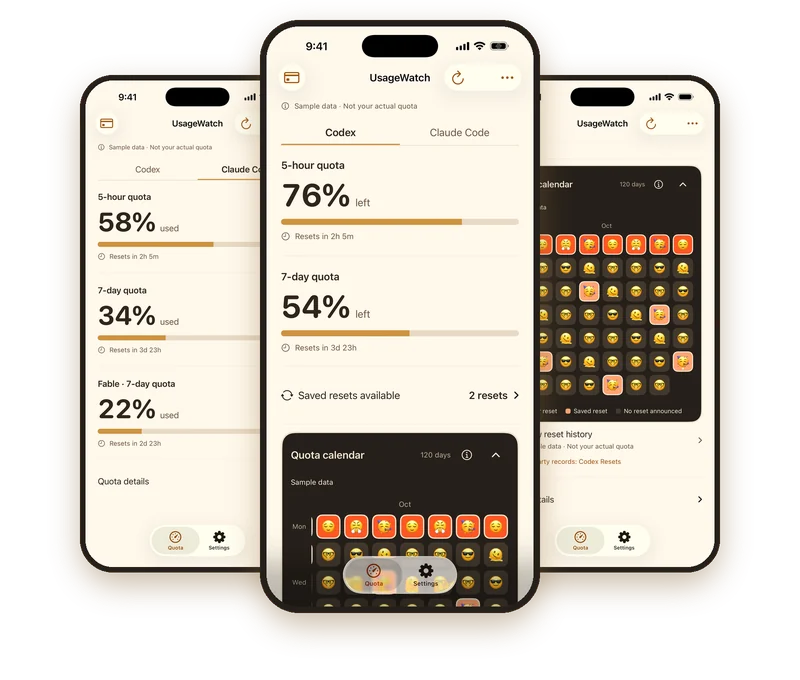
UsageWatch is an independent iPhone, iPad and Apple Watch app that shows how much Codex and Claude Code quota you have left in the 5-hour and weekly windows, and when each one resets, so you can check before you start a session.

Check before you start, not while you’re stuck
In a terminal, /usage or /status tells you what’s left. But the moments you plan your work are usually away from the terminal. That’s when a glance at your phone or wrist helps.
Morning check
See how much of each window is left and when it resets before you open your laptop.
Before a long session
Make sure there’s enough room in the 5-hour and weekly windows to finish what you start.
Codex or Claude Code today?
Compare both tools on one screen and pick the one with more quota left.
What you see
Codex
5-hour and weekly quota left, a reset countdown, and how many “Saved resets” you have.
Claude Code
5-hour and weekly (7-day) usage, each with its reset countdown.
Bars or rings
Switch between progress bars and rings for a faster glance.
120-day calendar
Usage and resets day by day, with details for each day.
Home screen widgets
Your quota on the home screen without opening the app.
Apple Watch
Check what’s left from your wrist.
iPhone and iPad
The same view on both devices.
No computer needed.
Your quota is checked in the cloud, so no Mac, terminal or pairing is required.
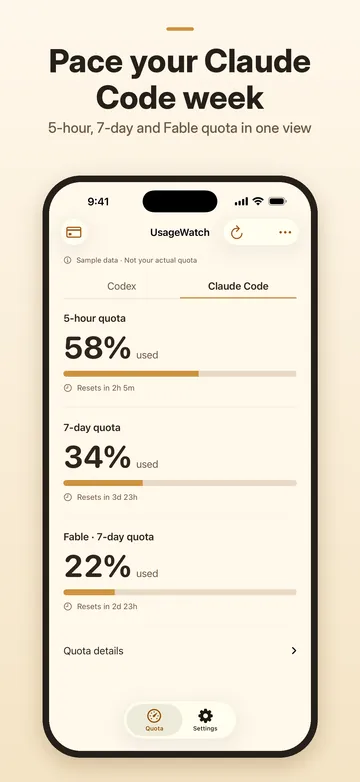
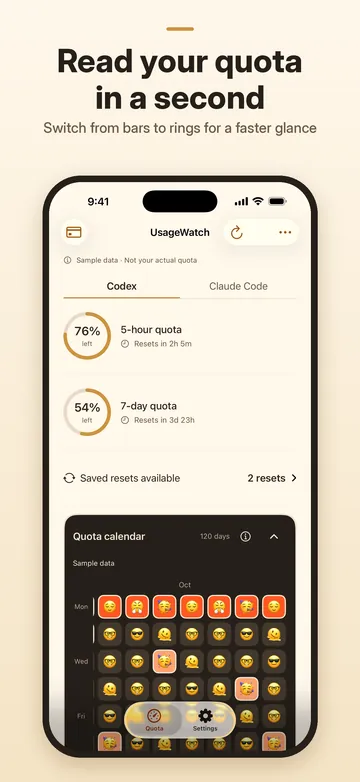
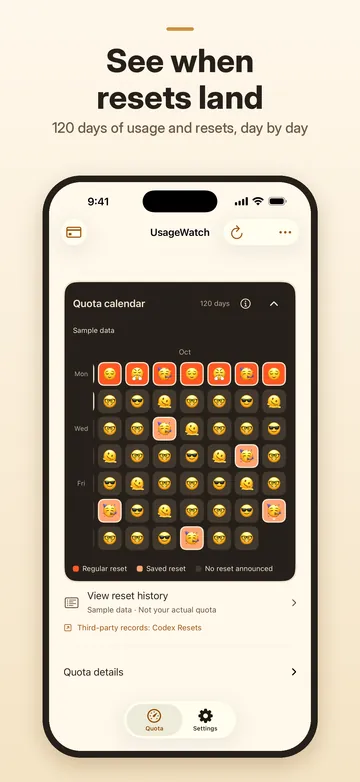
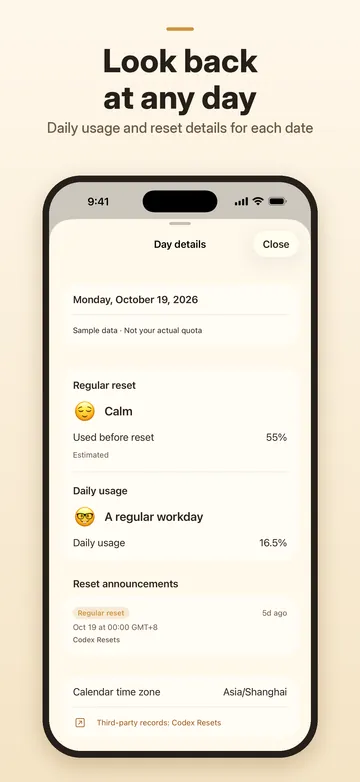
Screenshots use sample data. To use a saved reset, open the Codex app; UsageWatch shows the count. Get UsageWatch on the App Store.
Codex and Claude Code side by side
If you switch between both tools, Duo puts one Codex account and one Claude Code account on the same screen, so you can see which one has room before you start.
Pricing
Solo
US$1.99 / month
One Codex or one Claude Code account.
Duo
US$2.99 / month
One Codex account and one Claude Code account.
7-day free trial for eligible new subscribers (one trial per Apple Account, shared by Solo and Duo). Subscriptions renew monthly until you cancel.
Prices may vary by region; see the App Store for current pricing.
Guides
- How to check your Codex and Claude Code usage limits
The commands and settings pages that show what is left in each window.
Coming soon
- When does the Claude Code weekly limit reset?
How the 5-hour session and weekly limits reset, and where to see your time.
Coming soon
- When does the Codex usage limit reset?
The 5-hour and weekly windows, and why your reset date can move.
Coming soon
- Codex banked resets: how they work and when they expire
What a banked (saved) reset is, where to use it, and what it changes.
Coming soon
FAQ
Is UsageWatch affiliated with OpenAI or Anthropic?
No. UsageWatch is an independent app. It is not affiliated with, endorsed by, or sponsored by OpenAI or Anthropic. Codex and Claude Code are trademarks of their respective owners.
Which plans and tools does it support?
UsageWatch works with Codex and Claude Code. It does not limit you to particular plans: it shows the quota your account actually has, in the windows your account reports, such as the 5-hour and weekly windows.
Do I need a Mac or a terminal open?
No computer needed. Your quota is checked in the cloud, so you don’t need a Mac, a terminal or any pairing. You set everything up on your iPhone and check it from your phone, widgets or Apple Watch.
How do I connect my accounts?
Sign in through the browser on your phone. For Codex, you enter a code the app shows on OpenAI’s page. For Claude Code, you paste an authorization code back into the app. No tokens to paste, and Sign in with Apple is optional.
Does it show when my limit resets?
Yes. Each quota window has a countdown to its next reset, and the 120-day calendar shows your usage and resets day by day, with details for each day.
Can I see it without opening the app?
Yes. Home screen widgets show your quota at a glance, and the Apple Watch app shows it on your wrist, so you can check what’s left without opening UsageWatch on your iPhone.
What does it cost?
Solo is US$1.99/mo for one Codex or one Claude Code account. Duo is US$2.99/mo for one of each. Eligible new subscribers get a 7-day free trial. Prices may vary by region; see the App Store for current pricing.
What languages is the app in?
The app is available in English and Simplified Chinese. This website is available in English and Japanese, but the app’s screens are shown in English or Simplified Chinese only.
Check your quota before your next session
7-day free trial